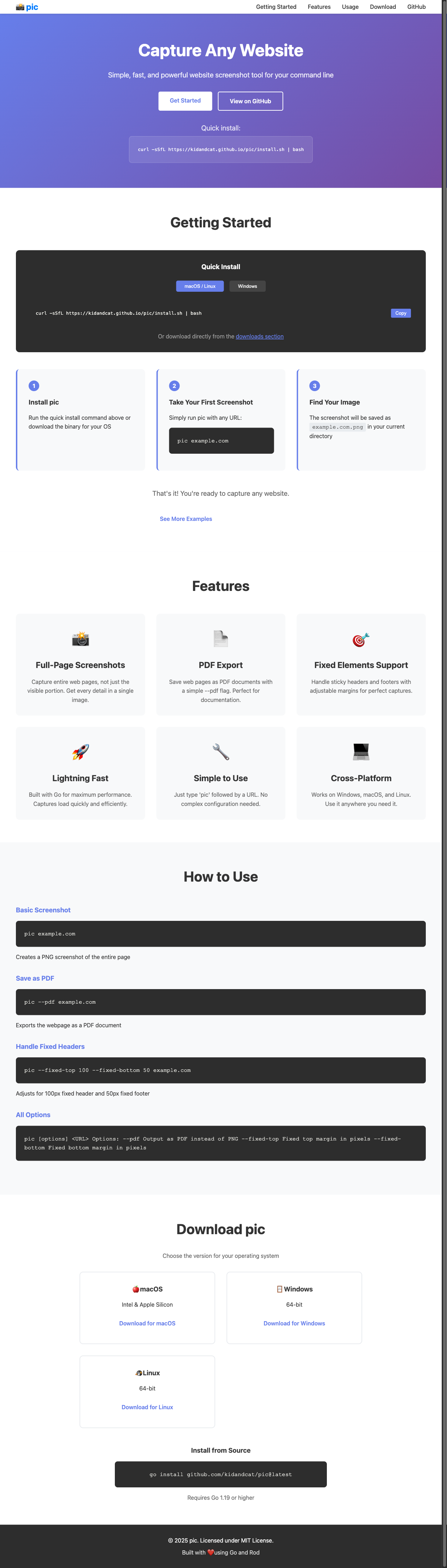
curl -sSfL https://kidandcat.github.io/pic/install.sh | bash
Or download directly from the downloads section
Run the quick install command above or download the binary for your OS
Simply run pic with any URL:
The screenshot will be saved as example.com.png in your current directory
That's it! You're ready to capture any website.
Capture entire web pages, not just the visible portion. Get every detail in a single image.
Save web pages as PDF documents with a simple --pdf flag. Perfect for documentation.
Handle sticky headers and footers with adjustable margins for perfect captures.
Built with Go for maximum performance. Captures load quickly and efficiently.
Just type 'pic' followed by a URL. No complex configuration needed.
Works on Windows, macOS, and Linux. Use it anywhere you need it.
Creates a PNG screenshot of the entire page
Exports the webpage as a PDF document
Adjusts for 100px fixed header and 50px fixed footer
Choose the version for your operating system
Requires Go 1.19 or higher